Get your LinkedIn data ready
Twoself builds your network from the copy of your data that LinkedIn gives you. LinkedIn takes up to a day to prepare it, so ask now and it will be waiting when your invite arrives.
Use a computer. The LinkedIn phone app can’t do this, and the download links don’t open on a phone.
The first file: your connections, messages and other key data.
The full archive, with the rest of your history.
How long each download link lasts. Save both files when they arrive.
On LinkedIn
- Step 1
Open Settings & Privacy
On linkedin.com, click Me under your photo at the top of the page, then Settings & Privacy.
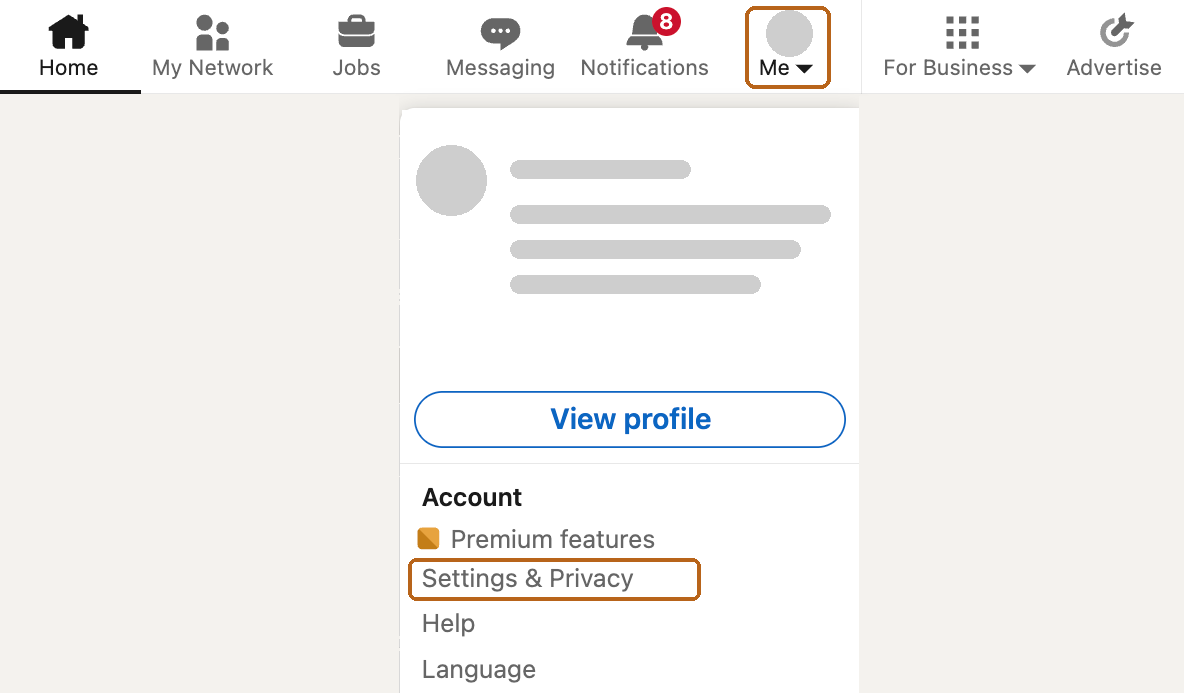
The Me menu, top right of LinkedIn. - Step 2
Go to Download your data
Choose Data privacy on the left, then Download your data under “How LinkedIn uses your data”.
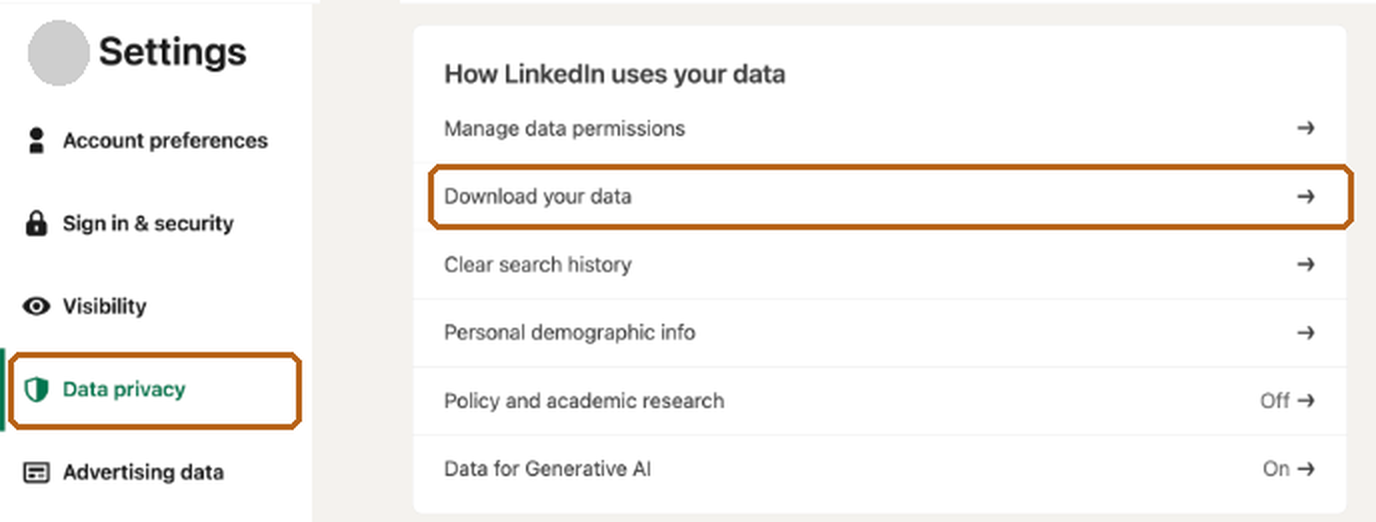
Settings, Data privacy. - Step 3
Ask for the larger archive
Choose Download larger data archive, then Request archive. LinkedIn asks for your password to confirm it’s you.
Don’t pick individual files. The larger archive gives Twoself everything it needs in one go.
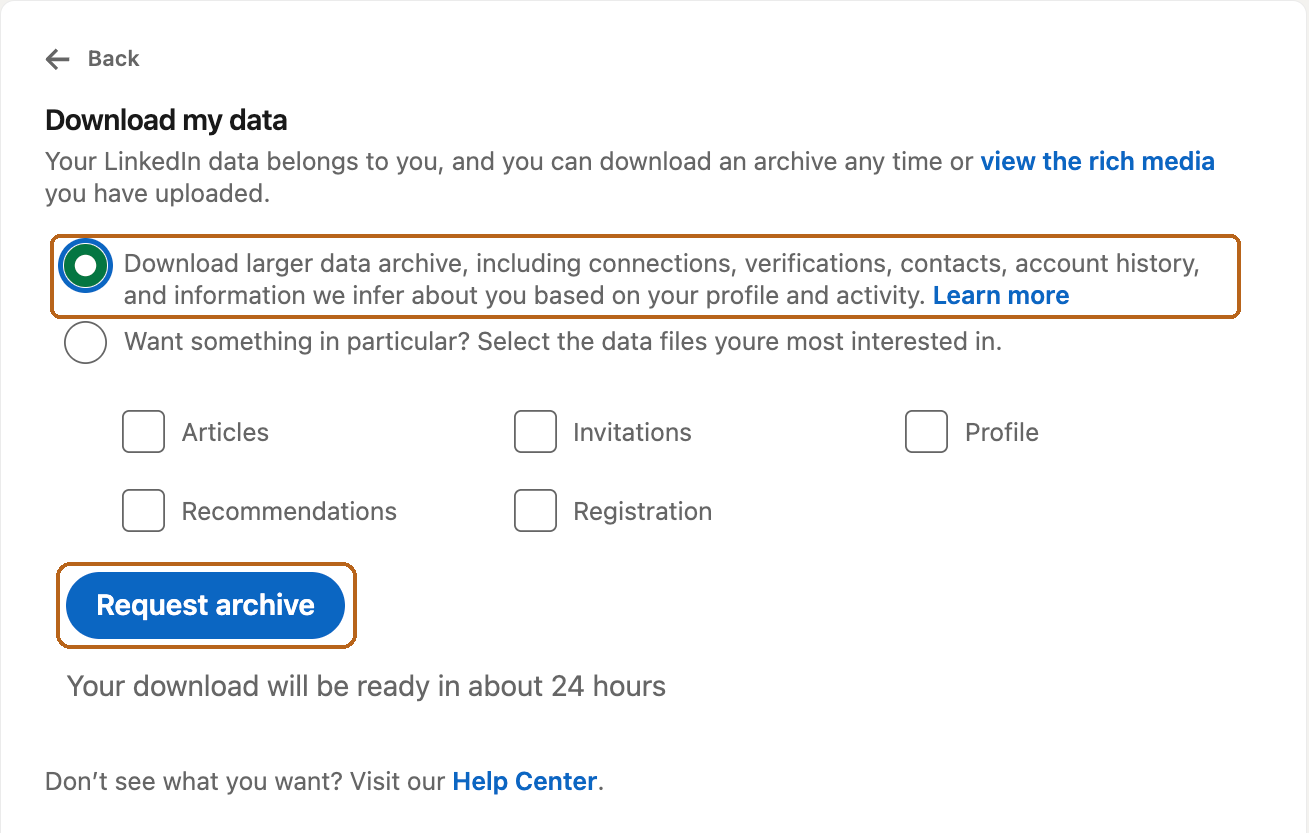
LinkedIn says about 24 hours for the full archive. - Step 4
Save both files
LinkedIn emails you twice: a first file in about 10 minutes, and the full archive within a day or so. Open each email on your computer and download the .zip straight away. Each link lasts 72 hours.
When your invite arrives
- Step 5
Upload the first file
Once your account is set up, choose Choose the .zip file and pick the first file. Your connections and messages come in first; you can leave the page while it carries on.
- Step 6
Then add the full archive
When the first import says it’s finished and the full archive has arrived, choose Import a newer archive and upload it. More of your history comes in. Nothing is added twice.
Questions
What does Twoself read?
Your connections, messages, profile, positions, and your own posts and comments. Nothing is posted to LinkedIn.
A link has expired
Go back to Download your data and request the archive again. LinkedIn sends new links.
I can’t find LinkedIn’s email
Check your junk folder, and the address you use to sign in to LinkedIn, which may not be your work address.
Can I keep some people out?
Yes. Anyone on your Never-read list stays out, whatever the archive holds.
Become two of you.
Free during the invited beta. I’ll write when it’s your turn.